

Summary
Improving products in a complex domain
During my time at Federato, I joined an enterprise insurance platform in the middle of a major product evolution. Rather than leading a single flagship initiative, I focused on improving complex areas of the product where usability, clarity, and scalability were becoming increasingly important.
This case study focuses on two projects: Audit Log and Policy Lifecycle. Although neither project reached production due to a company restructuring, both demonstrate how I approach unfamiliar domains, collaborate with Product and Engineering, and simplify highly complex enterprise workflows.
The Challenge
Systems improvement while maintaining speed
This case study is intentionally different from a traditional big-launch portfolio story. The emphasis is on how I think when entering a mature product with existing architecture, an established design language, and highly specialized domain concepts.
Initiatives were already underway, so becoming productive quickly depended on understanding the system before proposing solutions. The work required learning how users operated inside complex insurance workflows, where friction had accumulated, and which constraints were structural rather than incidental.
Meaningful design at this level is often less about inventing an entirely new product and more about improving the clarity, consistency, and scalability of systems that already exist.
My Approach
Learn the system before shaping the interface
I resisted jumping directly into UI. Each project began with domain learning, workflow mapping, and close collaboration with the people who understood the underlying product and data models.
Learn the domain
Understand workflows
Identify usability problems
Explore interaction models
Prototype
Collaborate
Refine toward implementation
Example 1 · Audit Log
Designing for trust and compliance
Insurance carriers needed a complete audit history showing who changed something, when they changed it, and what changed. The feature also needed to record automated actions taken by AI systems as governance requirements evolved.
Compliance teams, administrators, managers, and underwriters each approached the history differently. The system needed to scale across thousands of events while protecting sensitive customer information and supporting export into existing regulatory processes.
- Massive datasets
- Search and filtering
- Chronological history
- Field-level changes
- Actor attribution
- AI-generated events
- PII considerations
- Export requirements
- Multiple personas
Audit Log · Exploration
Choosing scanability over novelty
We explored multiple interaction models, including richer ways to visualize the relationship between events. Ultimately, a straightforward table best supported scanability, familiarity, and compliance workflows while allowing customers to export data into established regulatory processes.
This was a deliberate tradeoff, not a retreat to the obvious. Product defined many of the functional requirements; my contribution was shaping the information architecture, grouping, categorization, filtering, and search into an experience people could understand.
Close work with Product and Engineering helped me understand the underlying data model and translate regulatory requirements into a clear interface without overstating what the design needed to be.
Example 2 · Policy Lifecycle
Simplifying policy lifecycle configuration
A Policy Lifecycle defines how an insurance submission progresses from initial submission through quoting, binding, issuing, and every state in between.
Insurance administrators configure available states, transitions, automations, terminal states, and custom workflow logic. These workflows vary across insurance products and can become extremely complex.
The existing experience was visually overwhelming. Paths were difficult to trace, terminal states were unclear, transition information was hidden, and automations were difficult to discover. Before improving it, I first needed to understand how policy workflows functioned in practice.
Policy lifecycle
ConfigurableSubmission
Underwriting
Quoting
Binding
Issuance
Servicing
Renewal
Terminal states
Workflow actions
Product Evolution
Preserving flexibility without surrendering clarity
The product originally planned to provide standardized lifecycle templates with very limited customization. Customer feedback showed that insurance carriers required significant flexibility to configure their own workflows.
Rather than reducing complexity through restrictions, the product shifted toward embracing customization while improving clarity. This fundamentally changed the design question: how do we make a highly customizable workflow remain understandable?
- Reduce cognitive load
- Reveal important information earlier
- Improve visual hierarchy
- Clarify workflow relationships
- Preserve flexibility
- Prevent accidental mistakes
- Support exploration without overwhelming users
Interactive Prototype
Making a complex canvas feel familiar
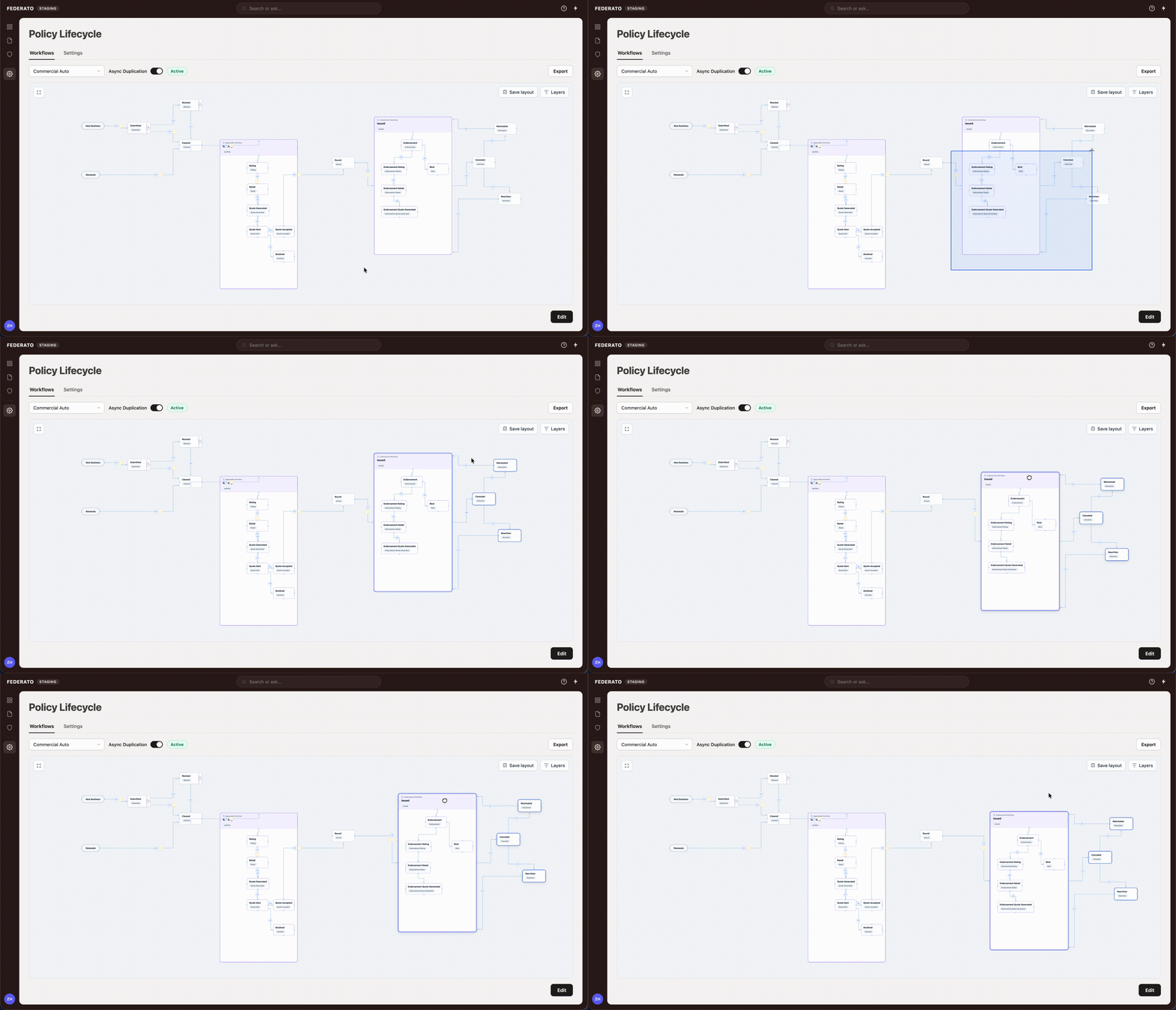
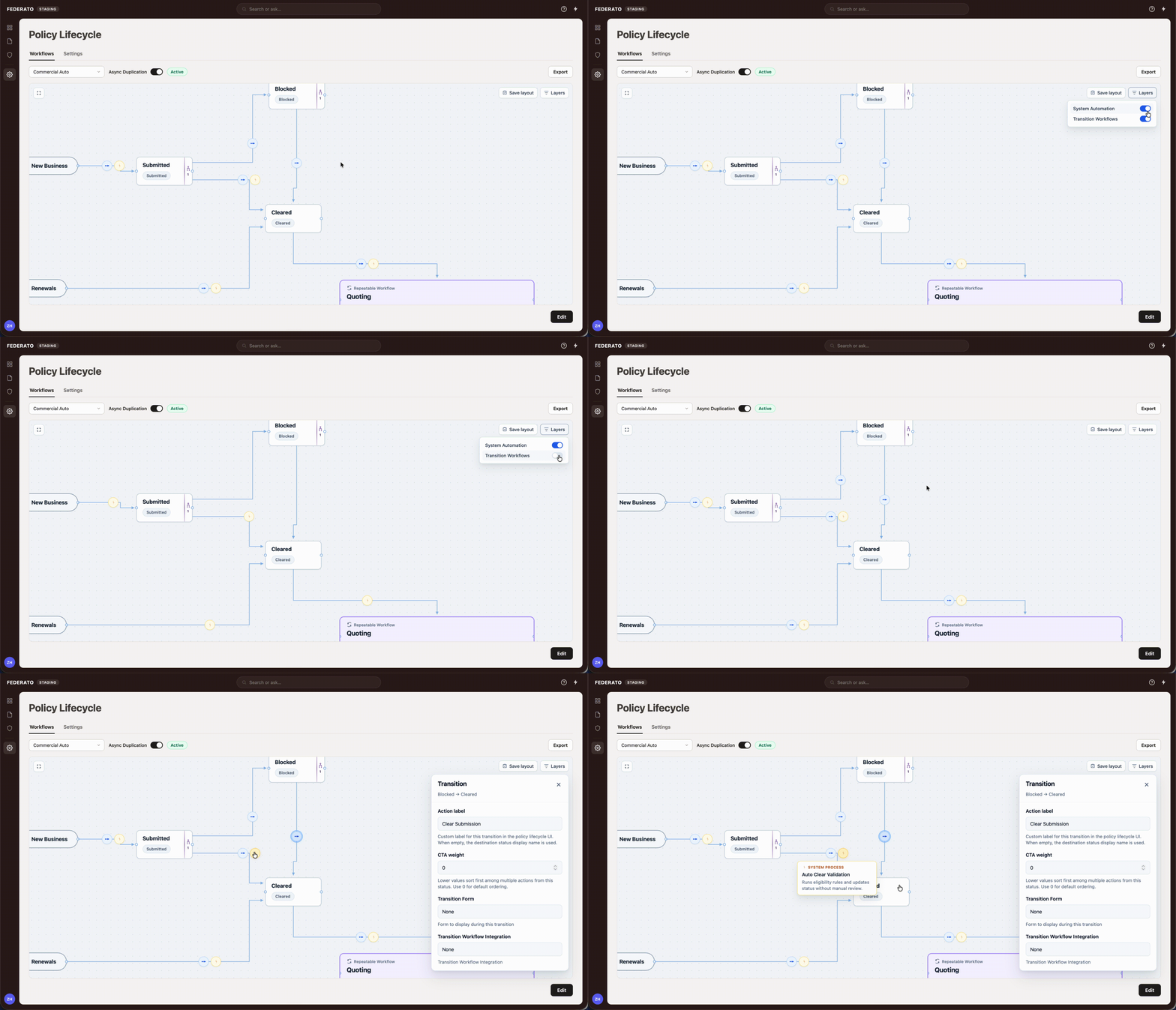
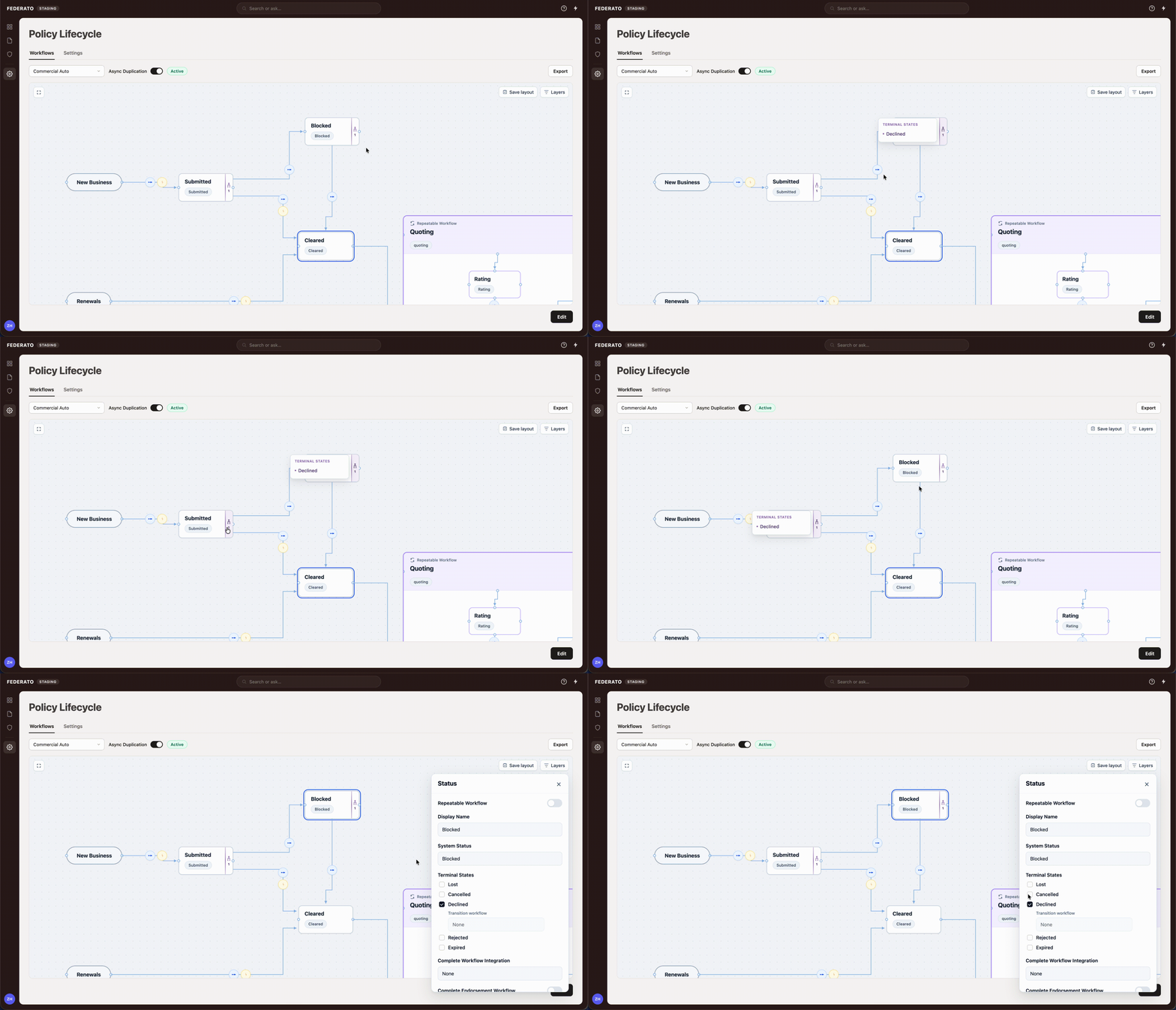
The interaction model borrowed familiar behaviors from tools like FigJam and Figma: an infinite canvas, direct manipulation, node selection, multi-select, and clear editing states.
The insurance concepts remained complex, but interacting with them became significantly more intuitive. My contributions centered on interaction design, workflow visualization, hierarchy, transition clarity, confirmation patterns, and iterative refinement alongside Product and Engineering.
Final Reflection
What these projects have in common
Although these projects solved different business problems, they required the same core skills: learning unfamiliar domains quickly, simplifying complex enterprise workflows, designing for clarity rather than novelty, and collaborating across Product and Engineering.
Both required balancing user needs with technical and regulatory constraints while continuing to iterate as requirements evolved.
The most valuable enterprise design work often isn’t creating something entirely new. It’s reducing complexity inside systems that already exist. Across both projects, my role was to help users navigate complicated workflows with greater confidence, clarity, and trust.